CR202_How to manually select Verizon LTE profile for Verizon SIM
If we experience connection difficulty with Verizon SIM, one of the most common issues is APN (Access Point Name) mismatching. APN is used by the carrier for authentication. A mismatched APN could cause the issues such as:
- The Globe LED blinks, which indicates the router fails to connection to cellular network.
- At Status=>Modem page, the Status is "modem is ready"

- However, go to Status=>Network Connections, the Status of Cellular is "Disconnected"
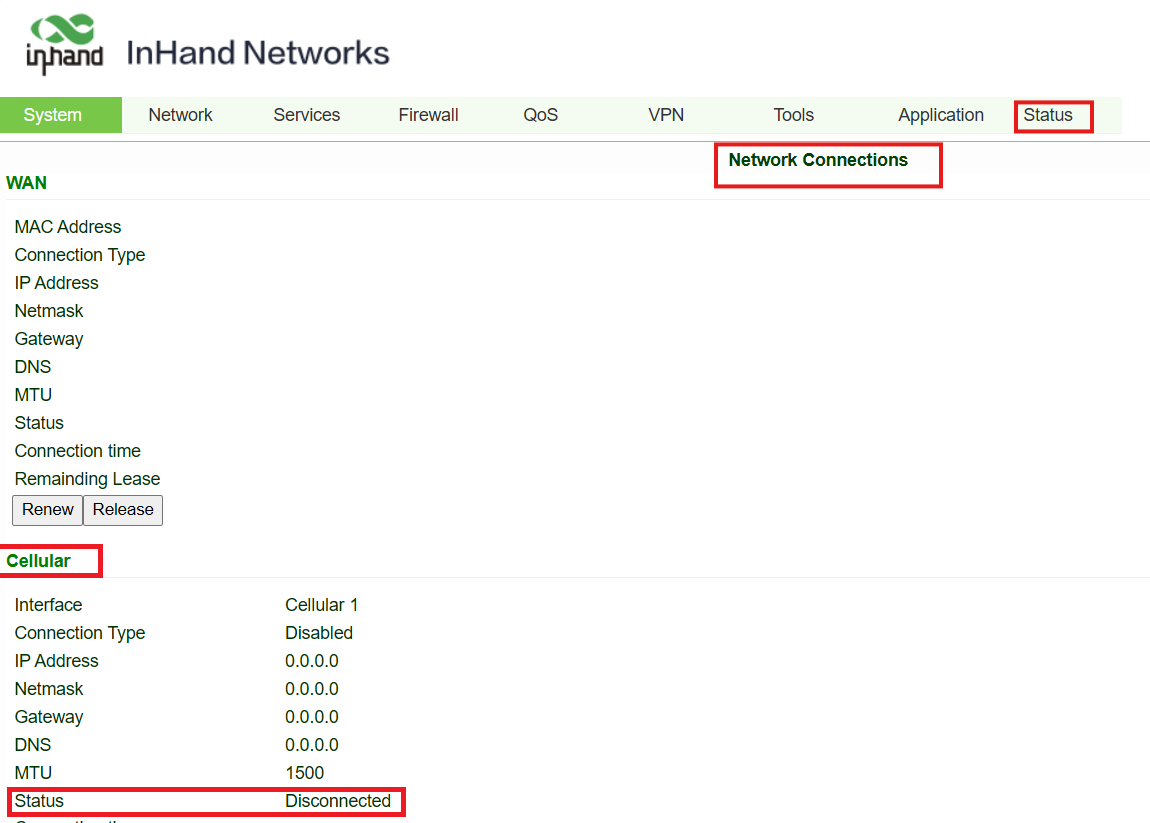
To fix the Verizon registration issue, we can manually select the Verizon LTE profile. This will assign the "VZWINTERNET" APN, which is the most common one for Verizon regular dynamic IP SIM.
- Go to Network=>Cellular
- At Nano SIM Network Provider, select Verizon LTE profile:

- If eSIM(embedded SIM) is used, please set eSIM Network Provider to Verizon LTE:
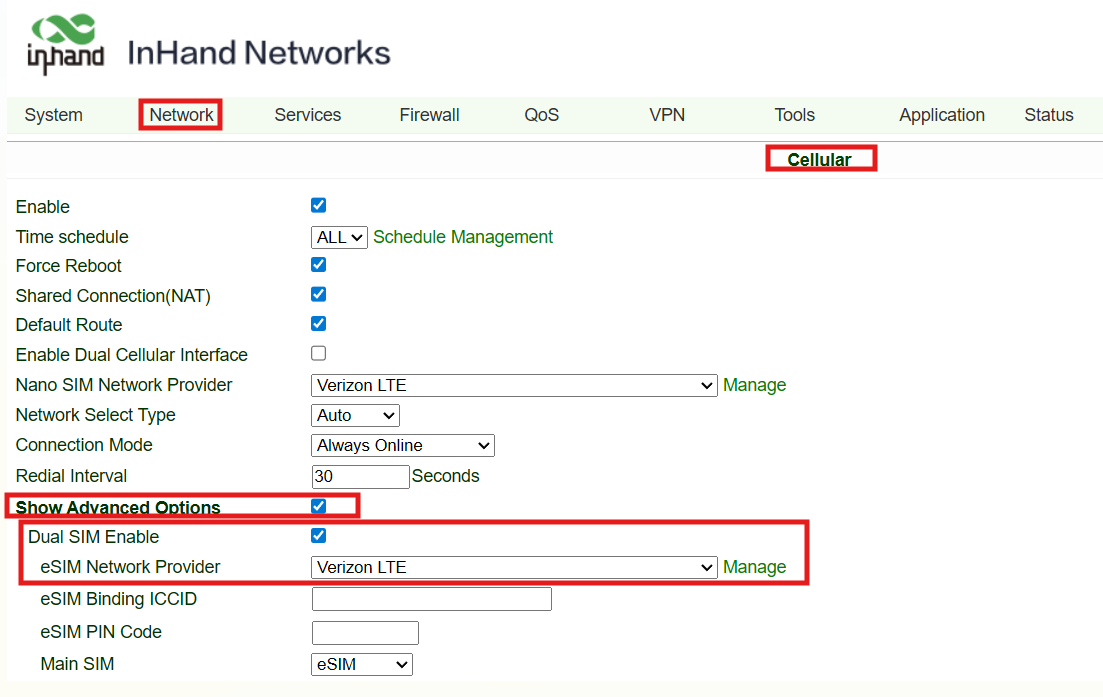
- Click Apply on the bottom of the page. The route will reboot the cellular modem to have a fresh network registration.
Please check the status of the Globe LED to confirm if the router is able to register. A stable Globe LED indicates the router connections to cellular network.
Topic Participants
Victor Cao