How do I choose the "Bind" mode for the CAN interface on the VG
Q: When configuring the CAN interface on the VG (Vehicle Gateway), should I select "Bind OBD" or "Bind Custom"?
A: The choice depends on whether you want the Gateway’s native system to manage the connection or if you intend to control it via your own applications.
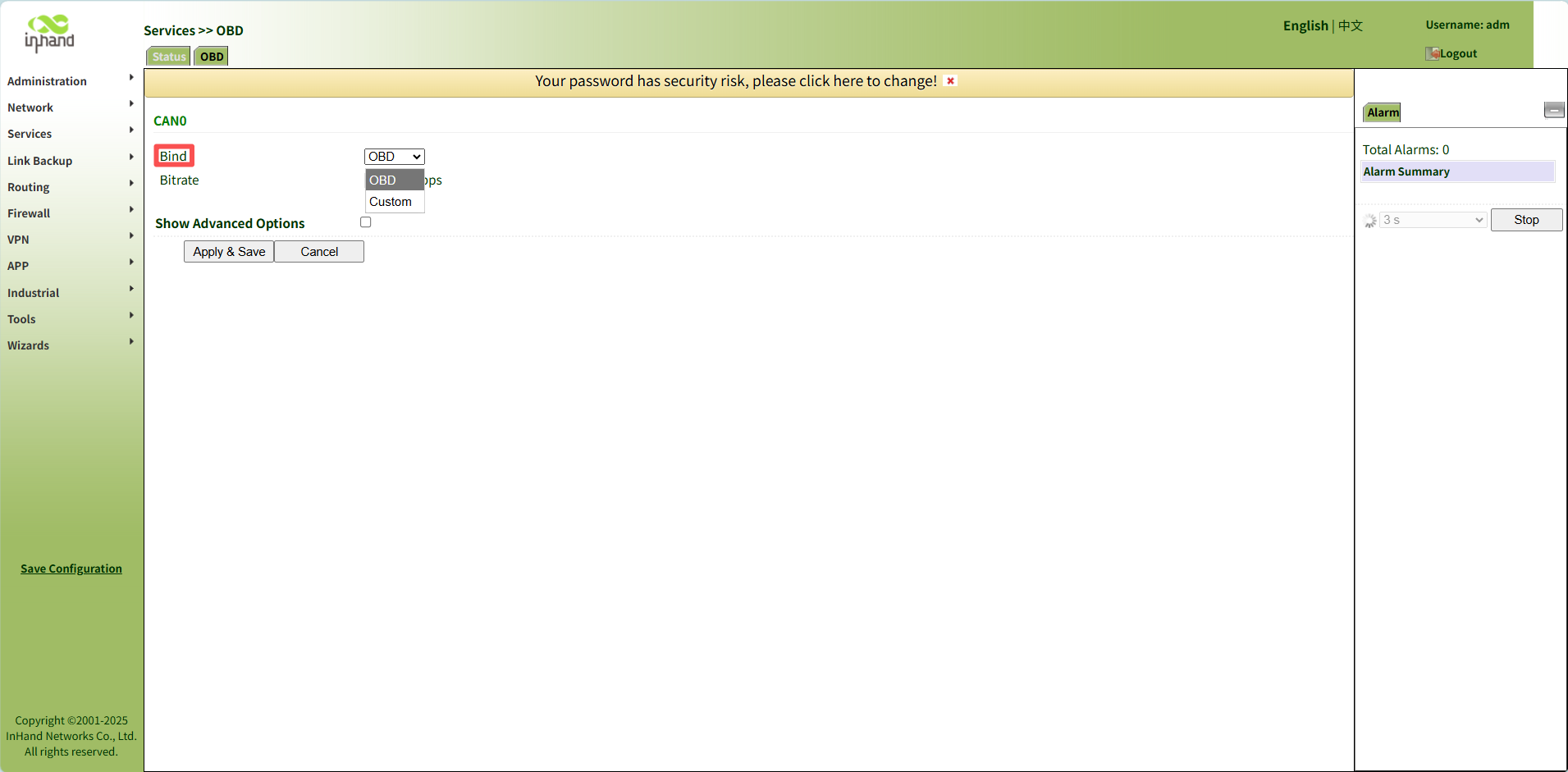
Here is the detailed breakdown of the two options:
1. Bind OBD (System Managed)
Select this option if you want the Gateway’s built-in firmware/program to control the CAN interface. This is the standard setting for reading vehicle data.
Under this setting, the interface operates in one of two internal modes:
- On-request Mode (Default):
- Behavior: The device actively queries data.
- Baud Rate: Auto-detected. The device automatically matches the baud rate of the vehicle.
- Note: This is the default behavior when "Bind OBD" is selected.
- Listen Mode (Passive):
- Behavior: The device only receives data (passive monitoring) and does not transmit data out.
- Baud Rate: Manual. Must be configured via CLI.
- Configuration: To use this, select "Bind OBD" in the frontend, then use the CLI to set the mode to 'listen' and specify the baud rate.
- Note: This is used for specific scenarios where active querying is not desired.
2. Bind Custom (User Managed)
Select this option if you want direct access to the hardware without interference from the Gateway’s native programs.
Behavior: The Gateway releases control of the CAN interface, exposing the hardware directly to the user.
Usage: This is required if you plan to control the CAN interface using Docker containers or *Python applications.
Topic Participants
Irene Peng