How to deploy config to IG101 remotely?
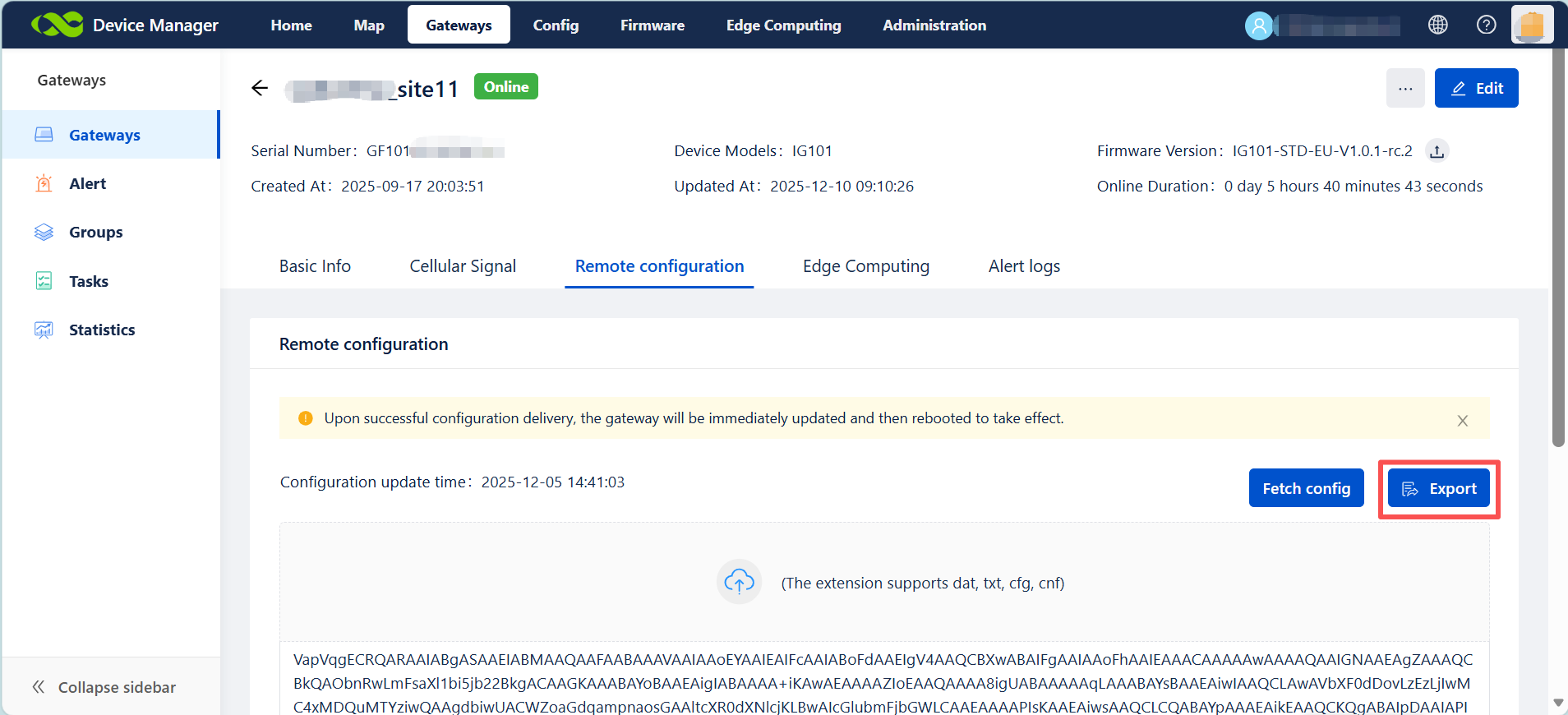
1. Login your own account on Device Manager, make sure that the device is online on the cloud. Click export button to export the .cfg file.
2. Open the Config Tool locally on your PC, then import the .cfg file downloaded.
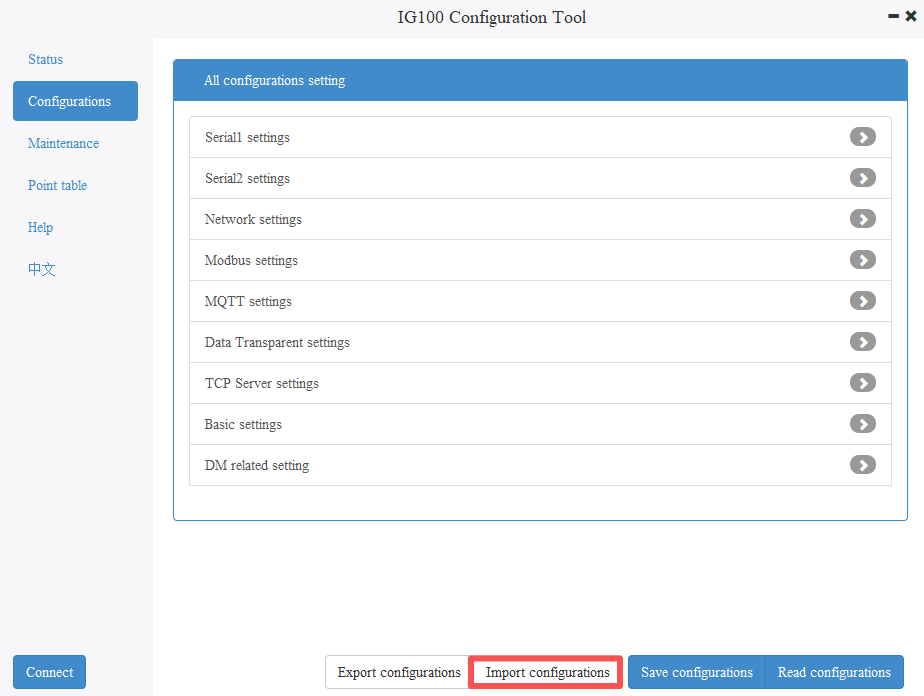
3. Change the configurations on Config Tool, then save.
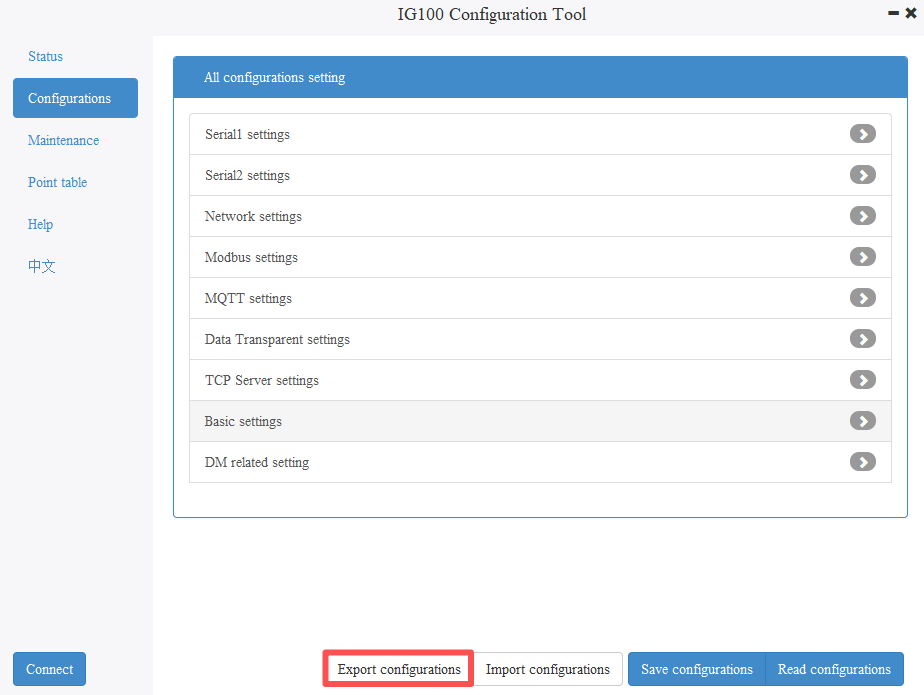
4. Export Config file from Config Tool.
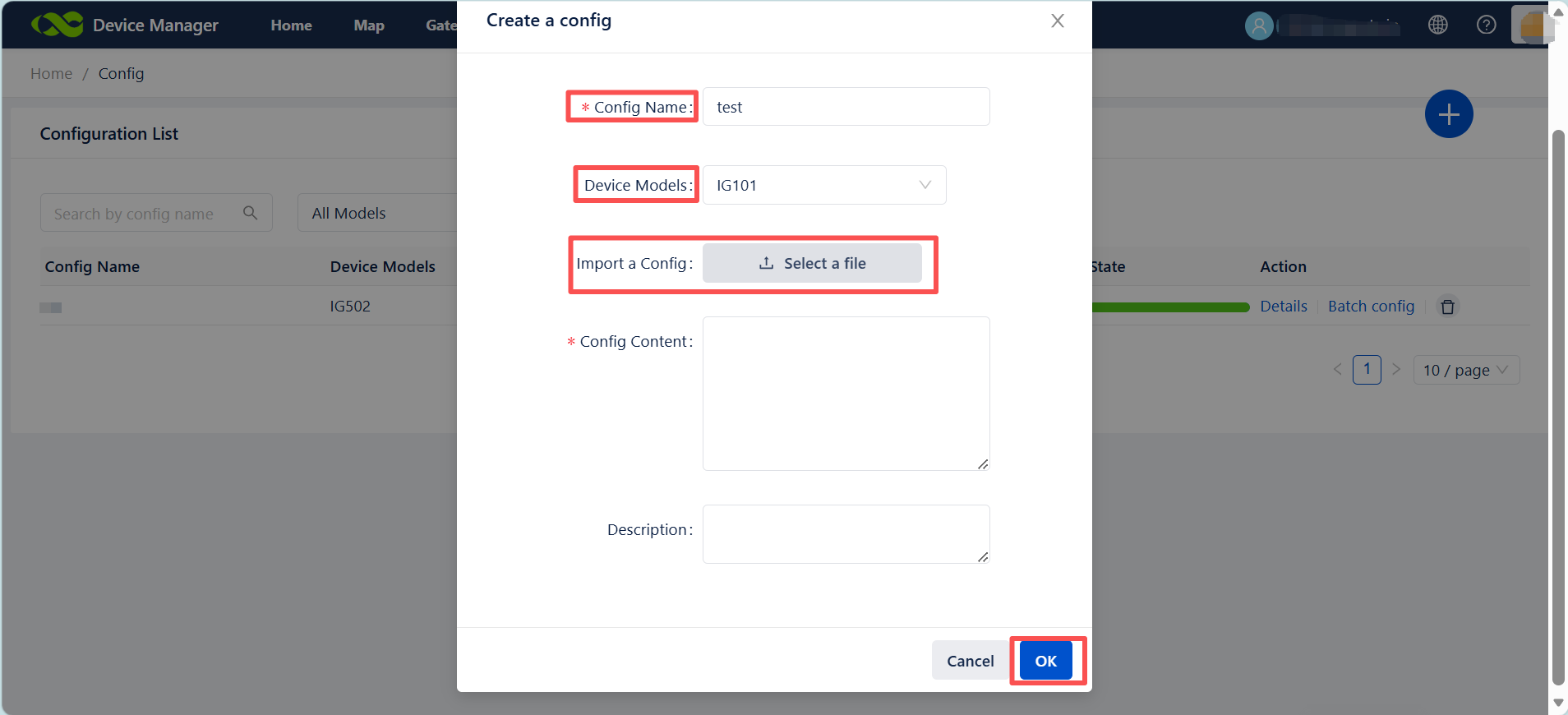
5. Use the DM to deploy the config file and select the specific device.
Topic Participants
Irene Peng