How to perform a Factory Reset on IR302
There are two ways to perform the factory reset on IR302:
- Software way: Navigate to the System-->Config Management, Click the Restore default configuration
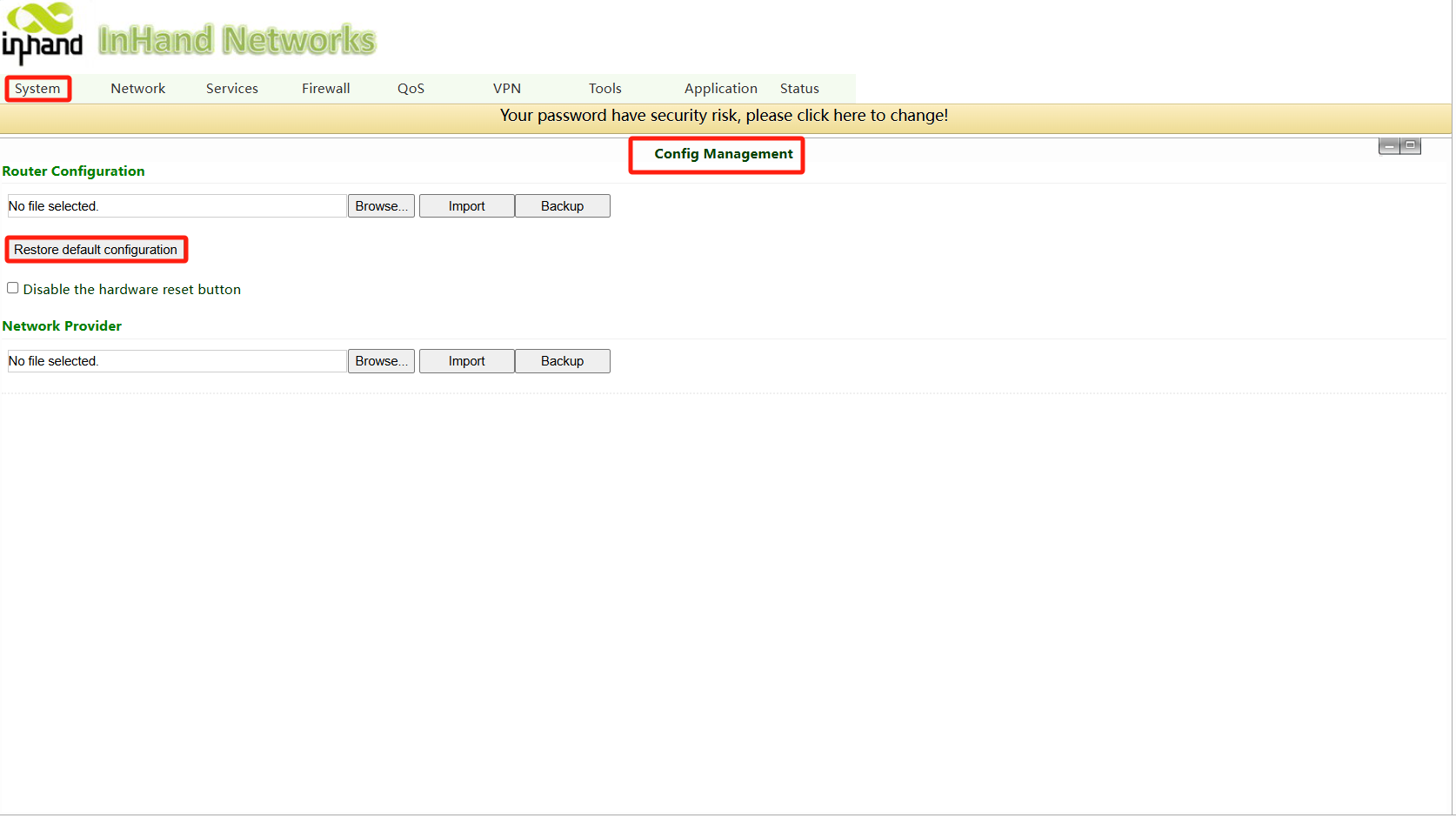
2.Hardware way:
a: Power on the device and immediately press and hold the RESET botton until the Status LED turns solid.
b: Release the RESET botton and wait for the Status LED to turn off.
c: Press and hold the RESET button again until the Status LED starts flashing, then release the botton. The device will now be restored to its default settings and will restart normally.
Topic Participants
Irene Peng