How to set router to connect to another WiFi(WAN-STA)
This gudie is avaliable for IR302, IR305, IR315, IR615.
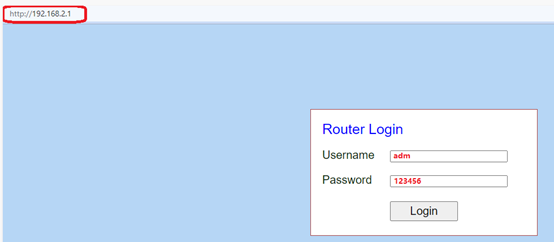
1. Connect PC to router via Ethernet, open web browser and go to 192.168.2.1 (if this doesn't work, try incognito mode with http://192.168.2.1). Log in with default username and password on the back label of the router.
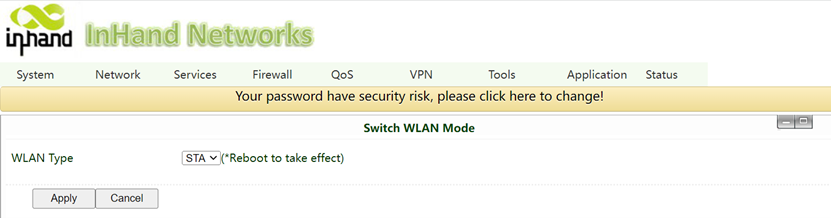
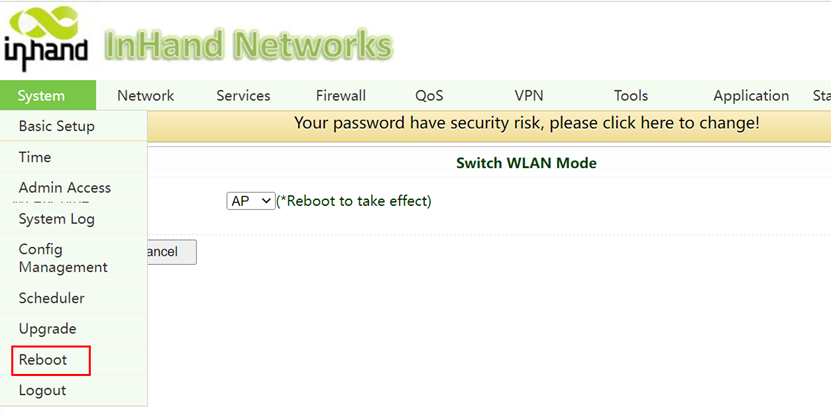
2. Go to Networkà Switch WLAN Mode, choose the STA mode, apply, then reboot the system.
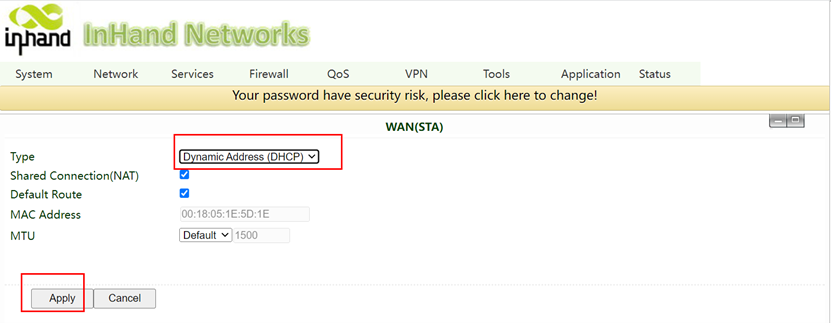
3. After reboot, go to NetworkàWAN(STA), configure DHCP to dynamically obtain IP address.
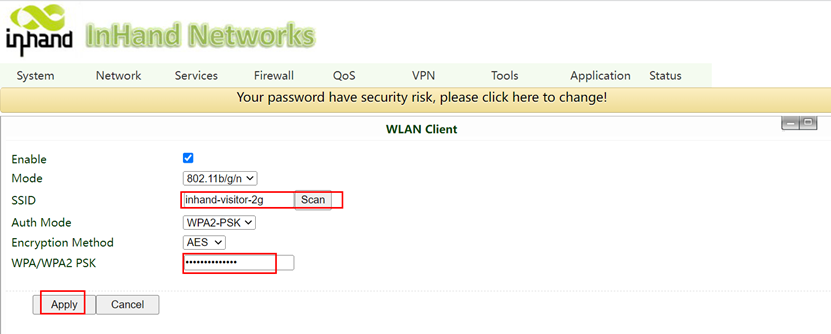
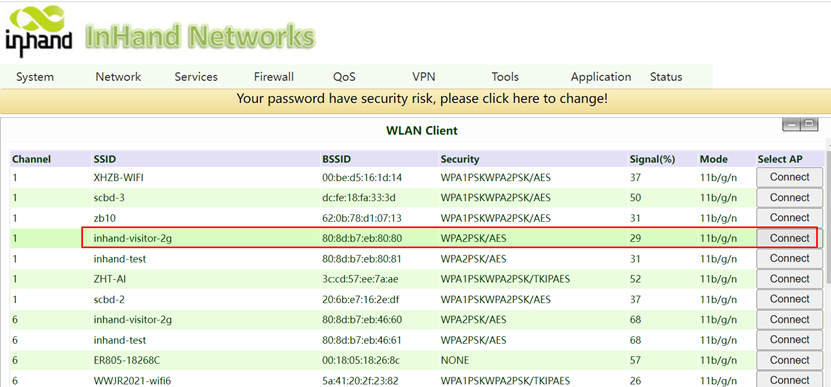
4. Go to Networkà WLAN Client, select Scan and select WiFi you want to connect to. Then, fill the password of the WiFi in the blank of WPA/WPA2 PSK and apply. If you do not see scan, enable it first and apply, then refresh the page.
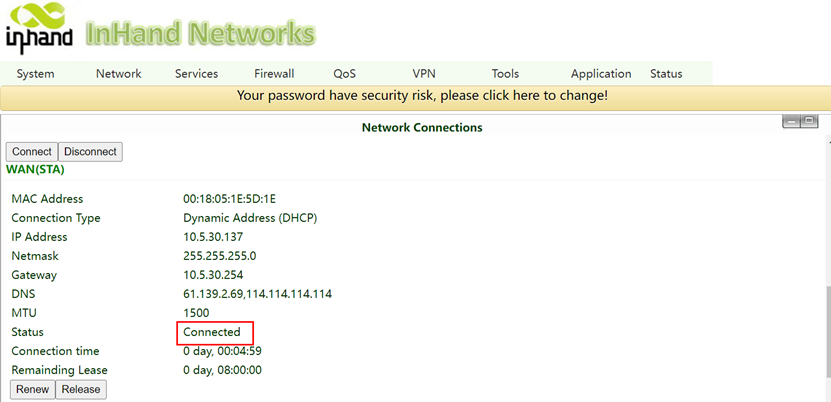
5. Go to the StatusàNetwork Connection, check the Internet connection status.
Topic Participants
Irene Peng