How to set up link backup on IR300?
1. Connect the PC to the router directly via Ethernet. Go to 192.168.2.1 on a web browser and login with default credentials (adm/123456).
2. Go to Statusànetwork connections, confirm the Internet connection status in WAN mode, cellular mode and Wi-Fi mode. Make sure the mode of Wi-Fi is STA if using outside Wi-Fi as a backup.
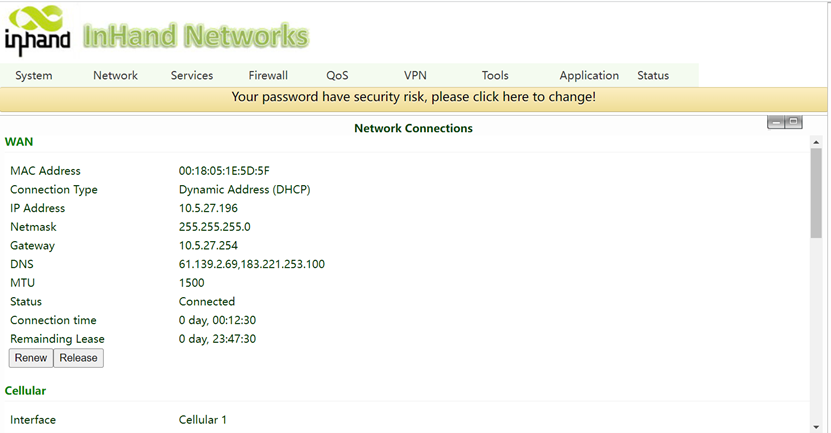
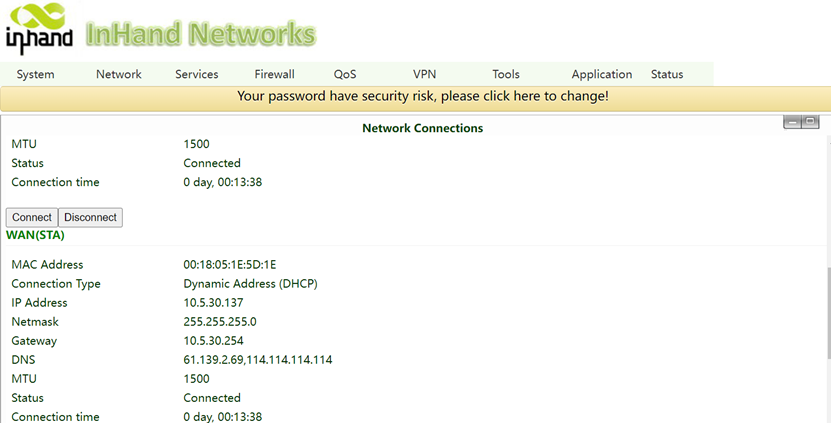
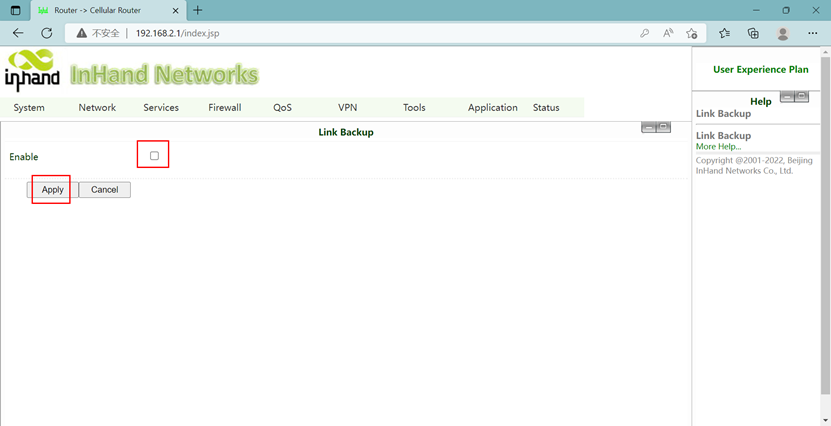
3. Go to NetworkàLink Backup, check the Enable and Apply.
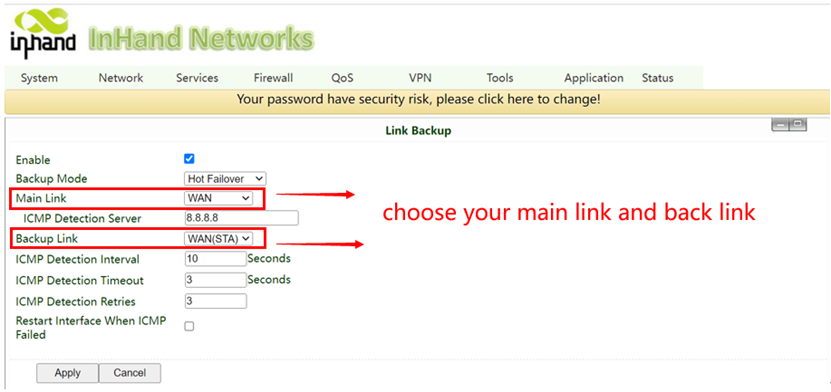
4. Choose your Main Link and Backup Link. Set ICMP detection server to 8.8.8.8.
Backup mode has three options:
- Hot failover- Router will maintain both connections, so if main link is down, failover will be faster. Uses a bit of data to maintain secondary link connection.
- Cold failover- Router will only attempt connection on backup link once main link is down. Uses no data until main link is down.
- Load Balance- Router will split traffic evenly between two interfaces.
5. Go to StatusàRoute Table, to view the connection status as follows. The default route should be your main link.
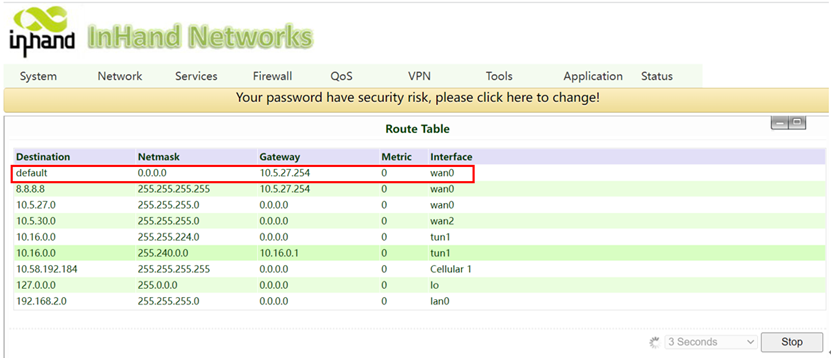
6. Test by disconnecting the main link from the internet and go to StatusàRouter Table. The default route should change to backup link.
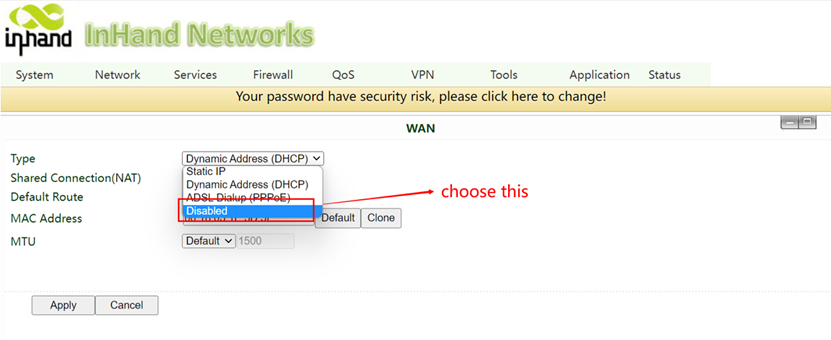
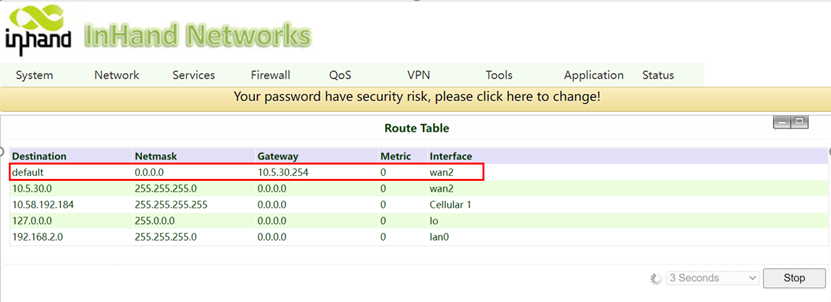
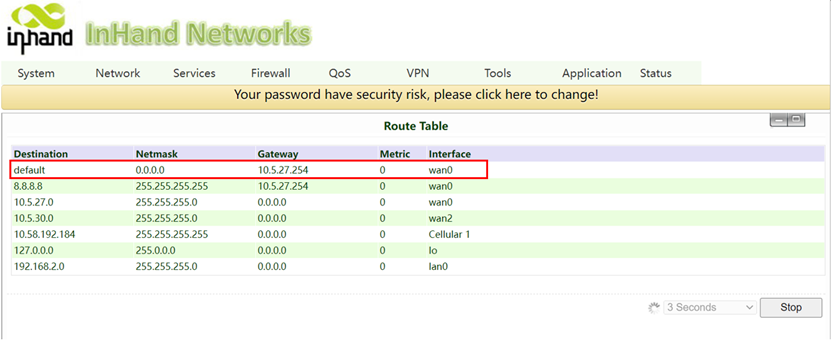
7. After the WAN connection is restored, the default route returns to the main link.
Topic Participants
Irene Peng