How to setup APN on ER805
1. Connect PC directly to router via Ethernet and log into router at 192.168.2.1 using default credentials (please check the username&password on the back label)
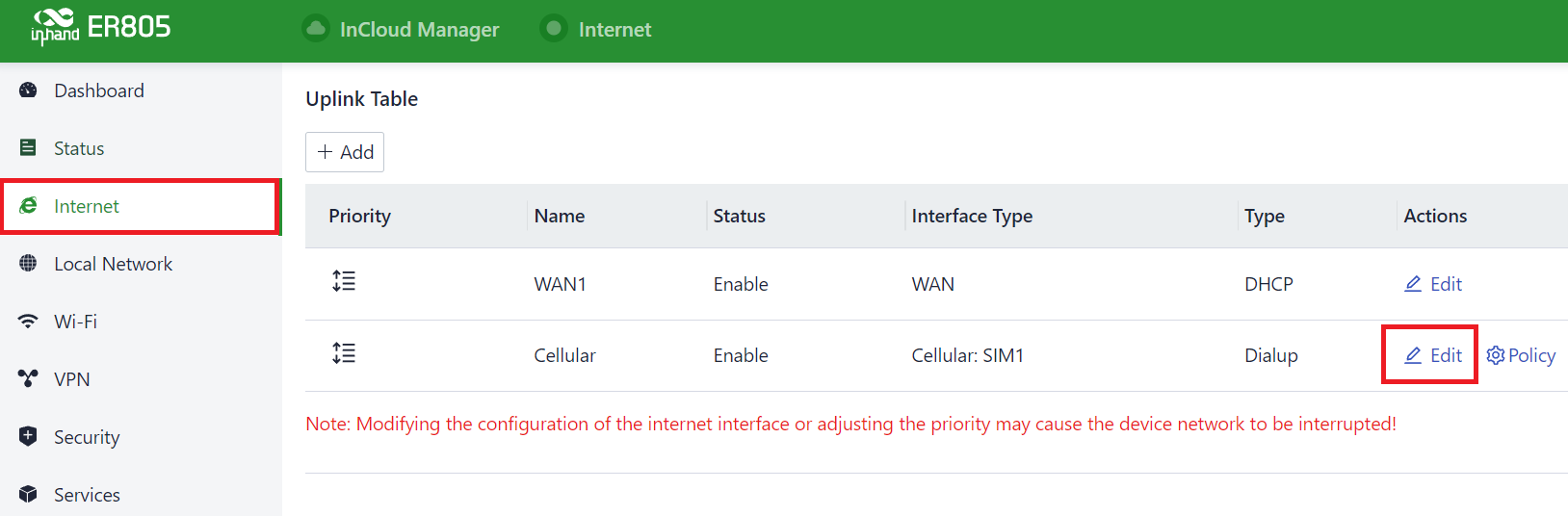
2. Go to Internet, and click the Edit of the cellular row.
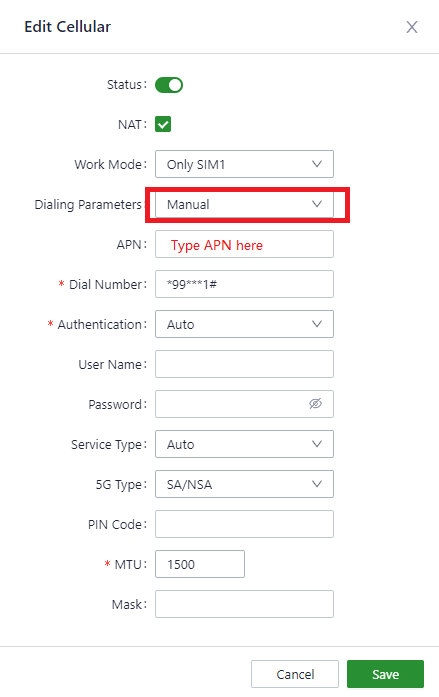
3. Change the Dialing Parameters to Manual, set the other parameters to the desired value and hit the Save.
Topic Participants
Irene Peng