DI/DO Triggered and Report
Applicable for IR302, IR305, IR315, IR615
1.
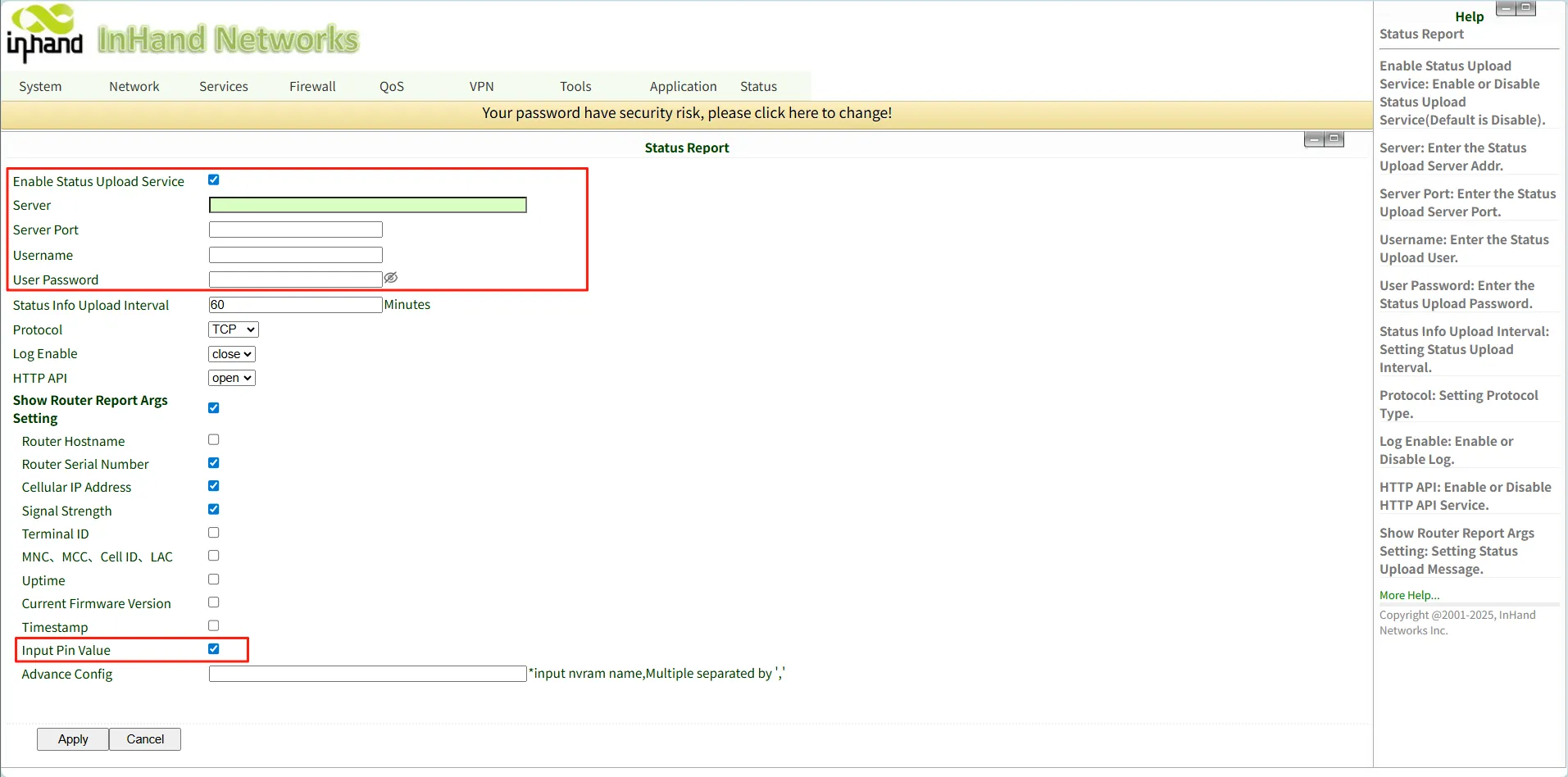
Please navigate to Application-->Status Report, Enable Status Upload Service and
configure the Server, Server Port, Username and User Password.
If you want to get the IO values periodically, please enable the Input Pin Value.
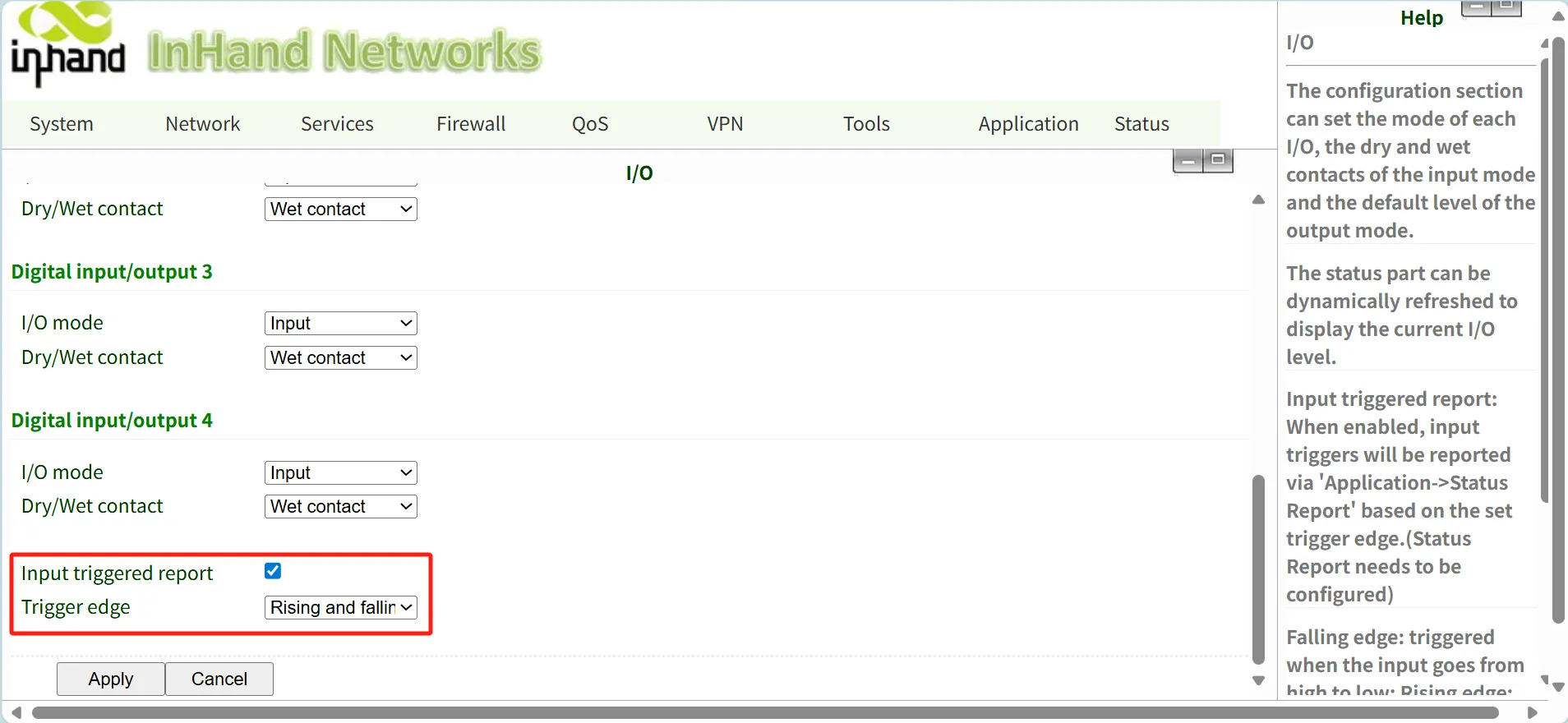
- Please navigate to Services-->I/O, enable the Input triggered report.
The "Input triggered report" function: when the DI status changes(according to the trigger edge selected), server side will receive the updated DI status.
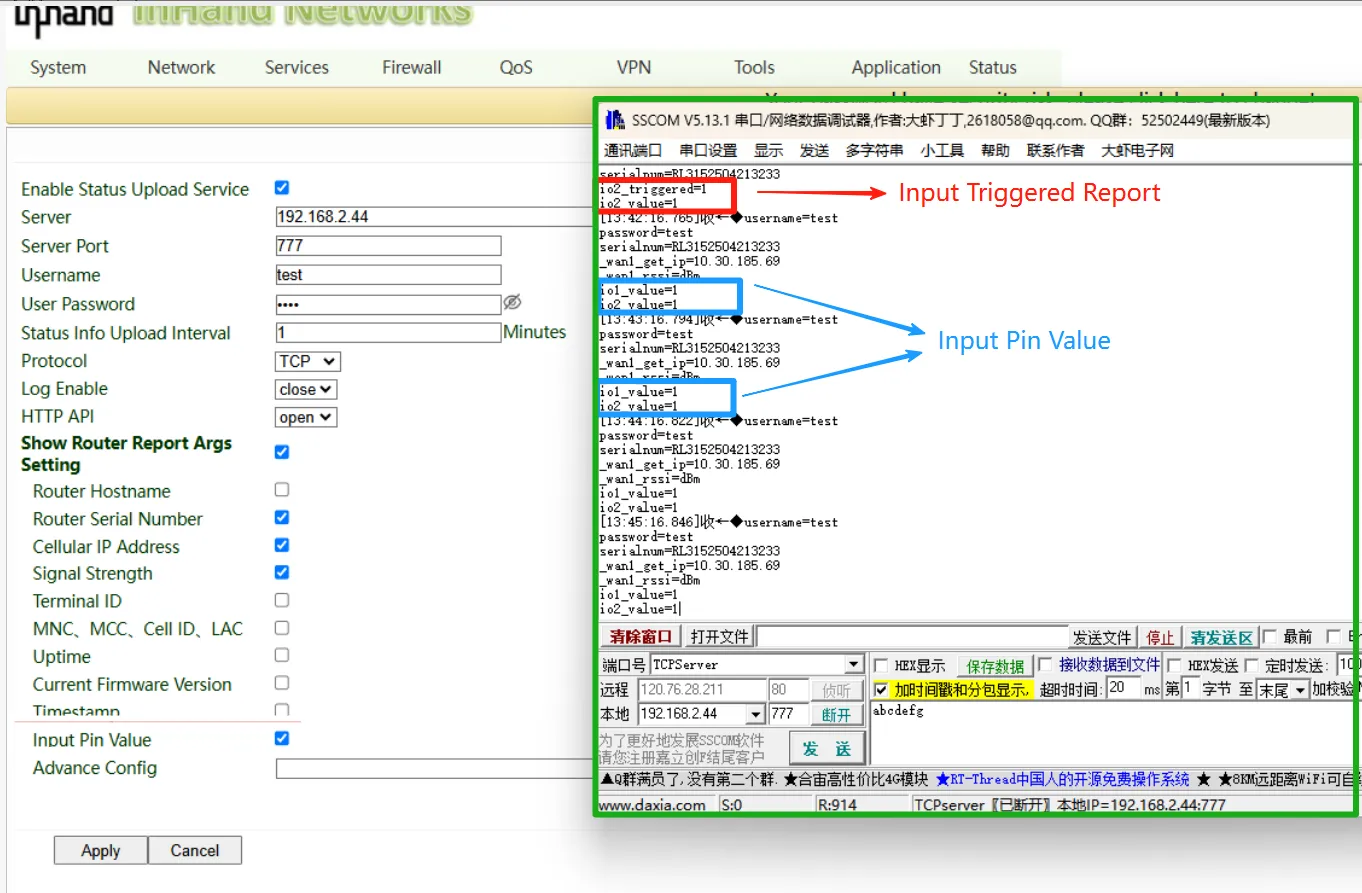
- An Test Example and Result. The right SSCOM window is the server, which received the Input Triggered Report and Input Pin Values.
Topic Participants
Irene Peng