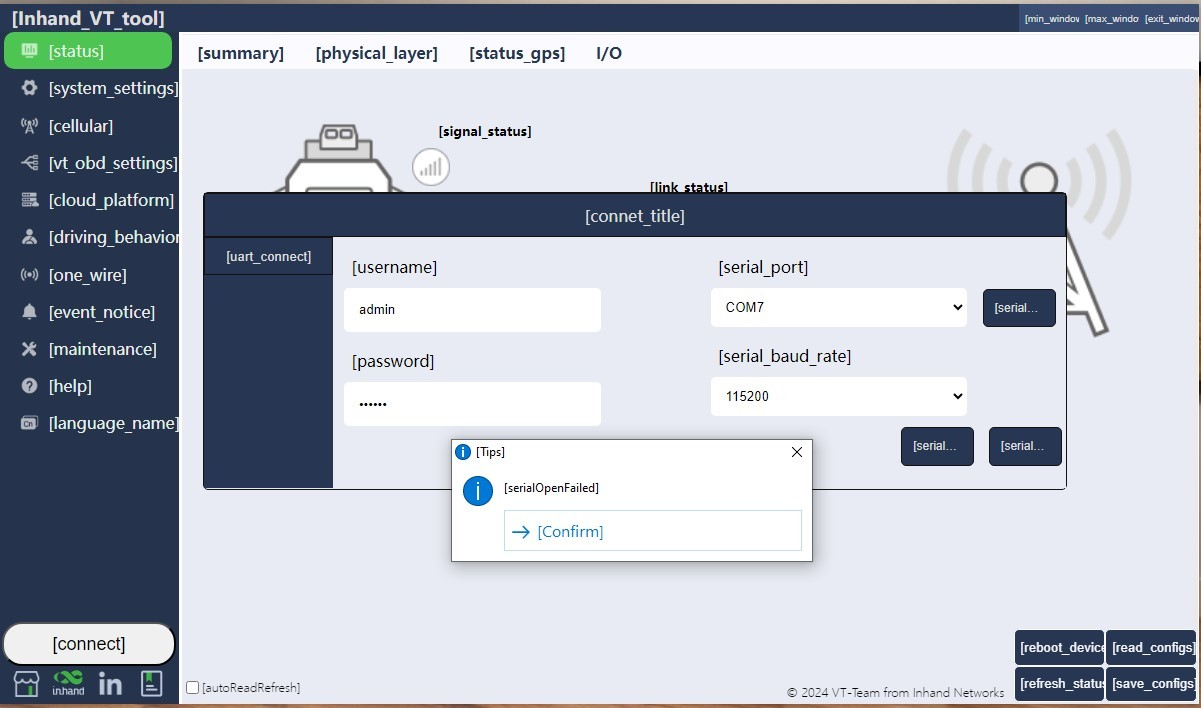
What should you do if you encounter the "serial Open failed" error when using the Config Tool?
Setup:
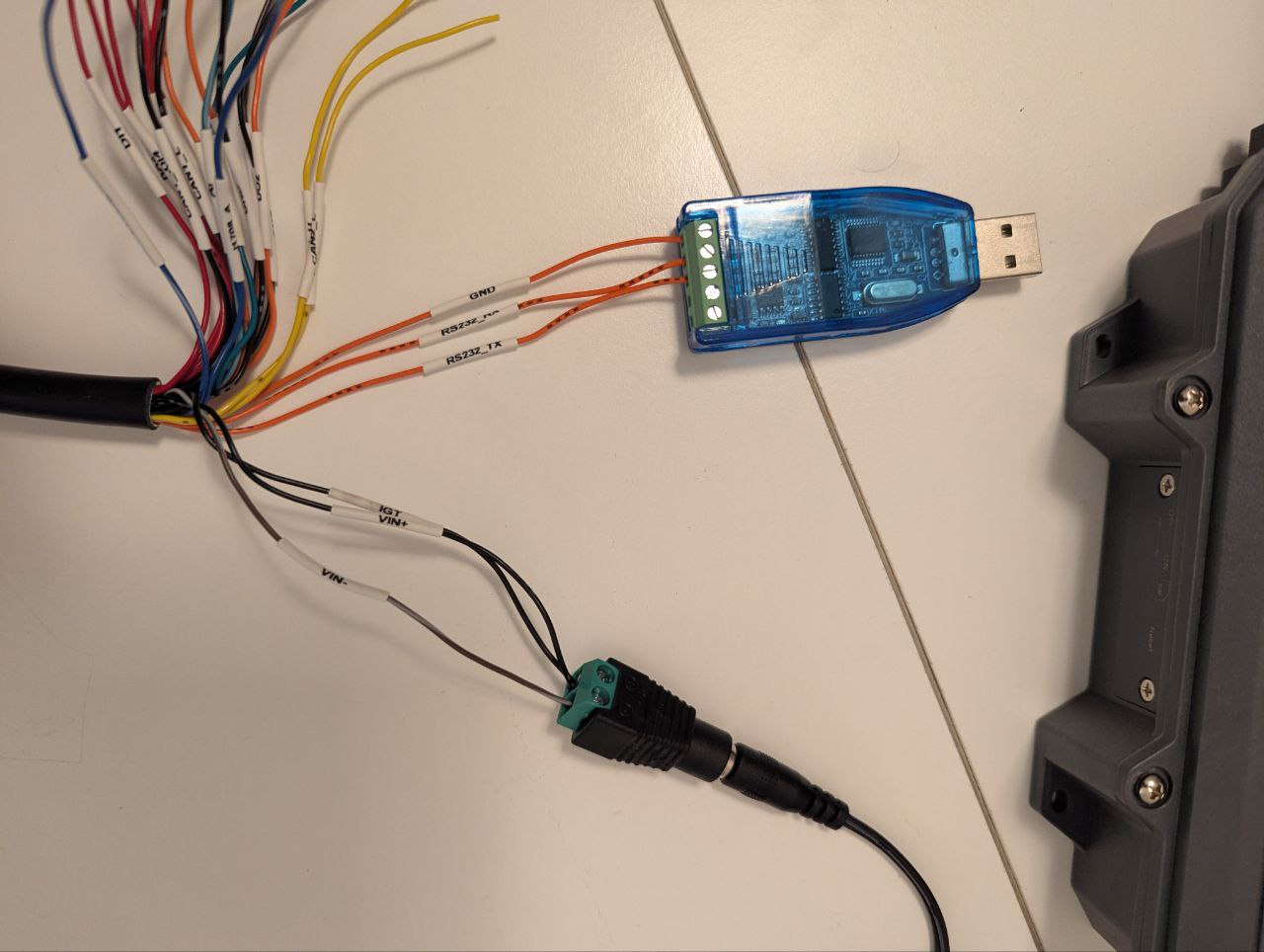
Power the VT device using an external adapter via the 26-pin all-in-one test cable. Connect the VT to your computer using a USB-to-Serial cable.
Issue:
What should you do if you encounter the "serial Open failed" error when using the Config Tool?
Solutions:
- Check Config Tool Version:Verify that you are using the latest version of the Config Tool.
- Verify Physical Connection:Ensure the RS232 connection between the VT and the USB adapter is wired correctly (Cross-over connection):
Rx to Tx
Tx to Rx
GND to GND
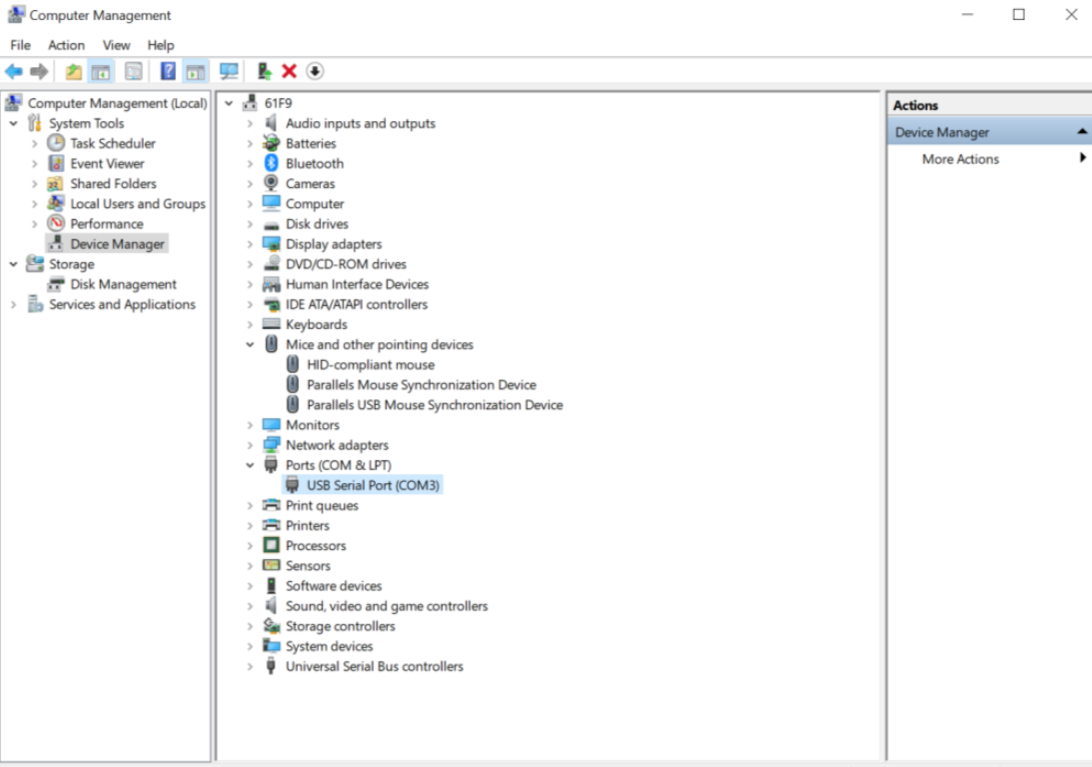
- Check PC Recognition (COM Port):Open Device Manager on your computer. Expand the "Ports (COM & LPT)" section and verify that the USB-to-Serial adapter is recognized and assigned a COM port number (as shown below).
Topic Participants
Irene Peng